
Repair Manual
Roomba Robot Vacuum Battery Troubleshooting
Roomba robot vacuums take all the fuss out by vacuuming your floors automatically. But this intelligent device doesn’t just clean well. It also communicates errors very clearly. This article will teach you how to troubleshoot Roomba vacuum errors and get the unit functioning well again.
Roomba robot vacuums are using audio beeps/recordings and a blinking light to report charging errors. The sound and the number of light flashes correspond to charging errors 1-3 and 5-9. In many cases, performing a reset of the charging system will resolve the issue. Many errors can also be solved by rubbing isopropyl alcohol on dirty charging contacts found on the dock, the Roomba, and the battery itself.
Whenever you’re facing a battery-related problem with your Roomba, your first troubleshooting step should be to reset the charging system itself. For example, you might notice that your Roomba is running much shorter cleaning cycles than usual. Another common issue is that the Roomba might return to its docking station much sooner than usual, even though its battery is still full.
In many cases, resetting the charging system will allow your Roomba to charge and discharge correctly and return to its normal behavior.
How to do it:
Thankfully, this task is straightforward to carry out. Hold down the “Spot” and “Dock” buttons for 15 seconds or more to reset your Roomba’s charging system. Keep holding those buttons until the Roomba unit plays a song that lets you know it has been reset.
Once you hear that song, you can let go of the two buttons and see if your Roomba operates normally again. Bear in mind that any special cleaning schedules or other settings may also be reset along with this process, so you’ll need to input those again.
Roomba robot vacuums take all the fuss out by vacuuming your floors automatically. But this intelligent device doesn’t just clean well. It also communicates errors very clearly. This article will teach you how to troubleshoot Roomba vacuum errors and get the unit functioning well again.
Roomba robot vacuums are using audio beeps/recordings and a blinking light to report charging errors. The sound and the number of light flashes correspond to charging errors 1-3 and 5-9. In many cases, performing a reset of the charging system will resolve the issue. Many errors can also be solved by rubbing isopropyl alcohol on dirty charging contacts found on the dock, the Roomba, and the battery itself.
Whenever you’re facing a battery-related problem with your Roomba, your first troubleshooting step should be to reset the charging system itself. For example, you might notice that your Roomba is running much shorter cleaning cycles than usual. Another common issue is that the Roomba might return to its docking station much sooner than usual, even though its battery is still full.
In many cases, resetting the charging system will allow your Roomba to charge and discharge correctly and return to its normal behavior.
How to do it:
Thankfully, this task is straightforward to carry out. Hold down the “Spot” and “Dock” buttons for 15 seconds or more to reset your Roomba’s charging system. Keep holding those buttons until the Roomba unit plays a song that lets you know it has been reset.
Once you hear that song, you can let go of the two buttons and see if your Roomba operates normally again. Bear in mind that any special cleaning schedules or other settings may also be reset along with this process, so you’ll need to input those again.
-
 Repair Manual3 weeks ago
GE Washer Code 26 – Troubleshooting Guide
-
 Dishwasher Repair2 weeks ago
Does A Dishwasher Need Its Own Circuit?
-
 Dryer Repair6 days ago
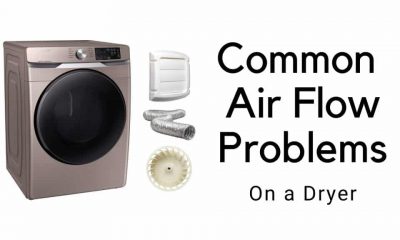
Common Dryer Air Flow Problems You Need To Know About
-
 Dishwasher Repair3 weeks ago
Dishwasher’s Door Latch Stuck Closed – How To Fix It
-
 Dryer Repair3 weeks ago
Gas vs Electric Dryer | In-Depth Comparison
-
 Microwave Repair5 days ago
How To Fix LG Dishwasher Flashing Lights?
-
 Dryer Repair6 days ago
Dryer Is Making A Squeaking Noise? –
-
 Repair Manual1 month ago
4 Ways How To Check Carbon Monoxide Levels in the House?